
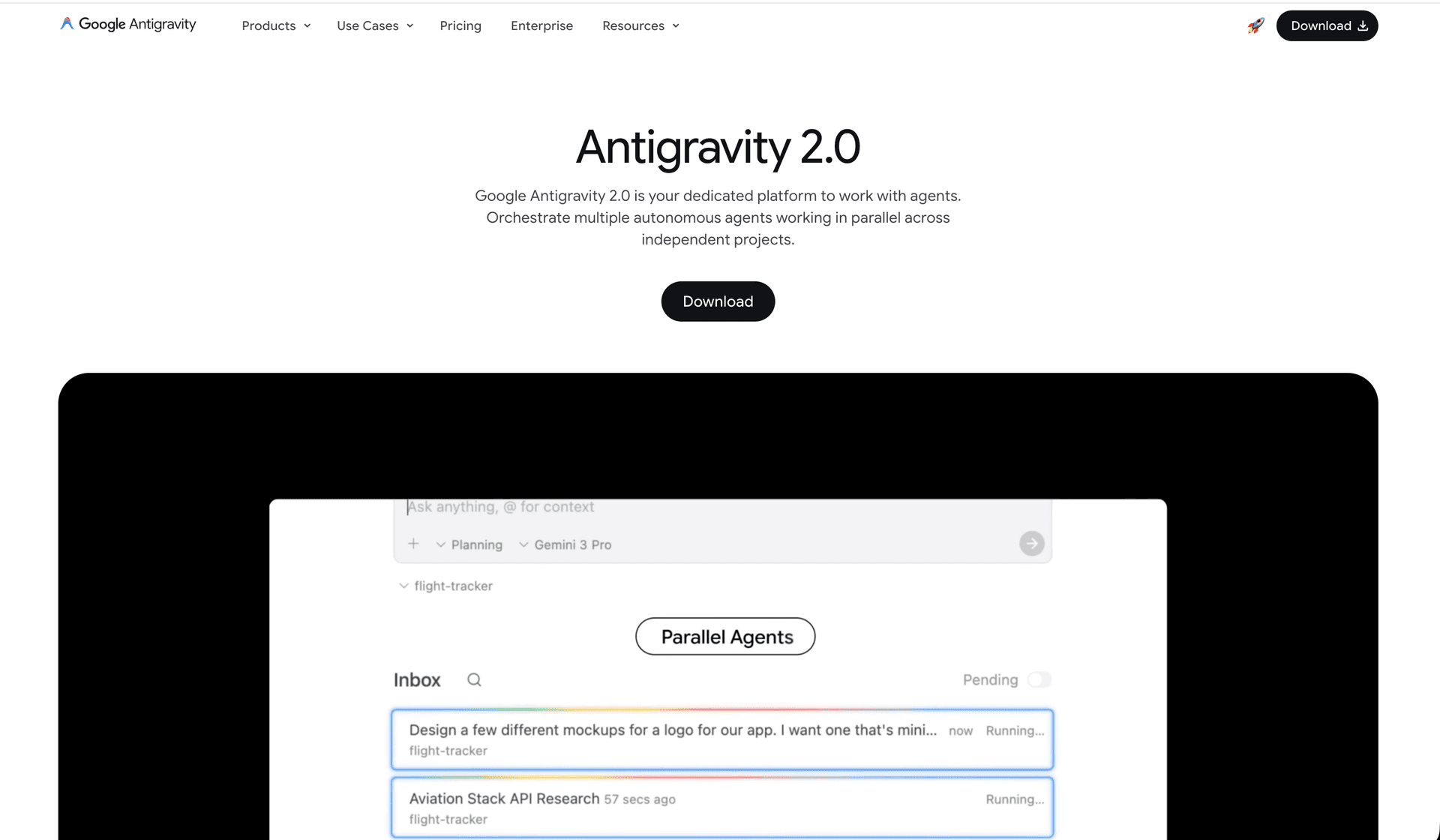
What is Antigravity 2.0? It is the AI-powered desktop application you are using right now — the one where you are reading this response. It is not just a chat tool. It is a full agent orchestration platform that can run code, control Chrome, manage files, call APIs, spawn subagents, and schedule tasks — all from a single conversation. This guide teaches you how to wire it up specifically for job hunting.
1. Why Antigravity 2.0 Is Perfect for Job Automation
Unlike running plain Python scripts or cron jobs, Antigravity 2.0 gives you:
| Capability | What It Means for Job Hunting |
|---|---|
| 🧠 Built-in LLM reasoning | Agent reads job descriptions and your resume together — not just keyword matching |
| 🌐 Browser control (CDP) | Clicks, types, uploads files, navigates — exactly like a human |
| 📁 File system access | Reads your resume, writes tailored PDFs, updates your database |
| ⚡ Subagents | Spawn 5 agents in parallel — one for LinkedIn, one for Ashby, one for Lever, simultaneously |
| 📅 Scheduled Tasks | Built-in cron UI — set it and forget it, no terminal needed |
| 🔧 Skills & Rules | Teach the agent YOUR preferences ONCE — it remembers forever |
| 🔌 MCP Servers | Connect directly to Google Sheets, Gmail, Calendar, Telegram via plugins |
| 🔁 /goal command | Runs the agent overnight without stopping until the goal is met |
2. How Antigravity Works — Key Concepts
Before diving into setup, understand these four building blocks:
🧩 Conversations
Every chat session is a conversation. The agent remembers everything said in that session. Start a new conversation for each job hunt "session" (e.g., today's Ashby run).
🛠️ Tools
The agent has tools it can call automatically:
run_command— runs terminal commands on your Macview_file/write_to_file— reads and creates files- Browser tools — controls Chrome via CDP
- Search tools — searches the web
🎯 Skills
Skills are markdown files that teach the agent a specific workflow. Example: a job-hunter skill that says "always check master_profile.yaml before applying."
📋 Rules
Rules are always-on instructions loaded automatically. Example: "Never apply to Indian IT services companies. Never upload a resume without verifying it is not empty."
🤖 Subagents
Child agents spawned from your main conversation. Each runs independently and in parallel. Perfect for checking 5 job boards at once.
3. Setting Up Your Project in Antigravity
Step 1: Open Antigravity 2.0 and Create a Project
- Open Antigravity 2.0 (the desktop app)
- In the left sidebar, click Projects
- Click New Project
- Set the workspace path to your job hunt folder:
text
/Users/yourname/Desktop/Career/auto_jobs - Name it:
Job Hunt Automation
From now on, every conversation in this project automatically has access to all your files in that folder — resumes, database, scripts, everything.
Step 2: Configure Project Permissions
In the left sidebar, go to Settings → your project → set these:
| Setting | Value | Why |
|---|---|---|
| Internet Access Policy | allow | Agent needs to browse job sites |
| File Access Policy | allow | Agent reads/writes resume files |
| Auto-Execution Policy | proceed-in-sandbox | Commands run automatically, safely |
| Non-Workspace File Access | ask | Asks before touching files outside your project |
| Notifications | enabled | Get a ping when the agent finishes a task |
Step 3: Set Up Chrome for CDP (One Time)
Your Antigravity agent controls Chrome using CDP. Launch Chrome once:
macOS:
/Applications/Google\ Chrome.app/Contents/MacOS/Google\ Chrome \
  --remote-debugging-port=9222 \
  --user-data-dir=/Users/yourname/chrome_automation_profile
Add this as a shortcut. After launching, log into:
- LinkedIn, Ashby, Lever, SmartRecruiters, Greenhouse, Glassdoor
- Google (for Sheets, Gmail, Calendar)
In Antigravity Settings → Command Allowlist, add this Chrome launch command so it can be run automatically without approval prompts.
4. Teaching Antigravity About You — Skills & Rules
This is the most powerful part. You teach Antigravity ONCE and it remembers forever across all conversations.
🎯 Create a Job Hunt Rule (Always-On Instructions)
Rules are loaded automatically in every conversation in your project. Create .agents/rules/job_hunt_rules.md inside your project:
mkdir -p /Users/yourname/Desktop/Career/auto_jobs/.agents/rules/Then create the file at /Users/yourname/Desktop/Career/auto_jobs/.agents/rules/job_hunt_rules.md:
---
trigger: always_on
---

# Job Hunt Rules — Always Follow These

## Identity
- The user is an AI/ML Engineer and Full Stack Developer
- Primary email: one@yourname.dev
- Refer to master profile at: profile/master_profile.yaml

## Never Apply Without Checking
1. ALWAYS read profile/master_profile.yaml before applying to any job
2. ALWAYS verify resume PDF is not empty before uploading (open it, read first 3 lines)
3. NEVER apply to a job scoring below 65%
4. NEVER apply to Indian IT services companies (TCS, Infosys, Wipro, HCL, Tech Mahindra, Cognizant)
5. NEVER apply to roles requiring immediate on-site relocation outside India

## Always Log
- Every application attempt MUST be logged to applications.db
- Status must be updated: READY_TO_APPLY → APPLIED → APPLICATION_CONFIRMED
- If a job URL is dead (404), mark status POSITION_CLOSED immediately

## Quality Standards
- Tailor resume for each company — never use the generic master resume directly
- Personalize cover letters with the company's specific product or mission
- Maximum 30 applications per platform per day (avoid bans)

## Before Finishing Any Task
- Update applications.db with the final status of all touched applications
- Export applications.csv from the database
- Notify about total applications submitted today and any errors encounteredThis rule file is now loaded automatically in EVERY conversation in your project. The agent will follow these rules without you having to repeat them.
🧠 Create a Job Hunt Skill (On-Demand Workflow)
Skills are loaded when you reference them or when they are relevant. Create a complete workflow:
mkdir -p /Users/yourname/Desktop/Career/auto_jobs/.agents/skills/job-hunter/Create /Users/yourname/Desktop/Career/auto_jobs/.agents/skills/job-hunter/SKILL.md:
---
name: job-hunter
description: >
  Complete workflow for automated job discovery, scoring, tailored resume generation,
  and application submission across Ashby, LinkedIn, Lever, SmartRecruiters, and
  company career pages. Use this skill whenever the user asks to find jobs, apply to
  jobs, or run the daily job hunt.
---

# Job Hunter Skill

## Step 1: Read Profile
Always start by reading: profile/master_profile.yaml

## Step 2: Discover Jobs
Search these platforms for new jobs matching the target roles:
- https://jobs.ashbyhq.com — search for roles in target_roles list
- https://linkedin.com/jobs — filter by Easy Apply + last 7 days
- https://jobs.lever.co — search for roles
- https://workatastartup.com — filter by Remote

Filter criteria from profile:
- Minimum fit score: minimum_fit_score field
- Exclude companies in: companies_avoid field
- Prefer: company_types_prefer field

## Step 3: Score Each Job
For each job found:
1. Read the full job description
2. Compare against skills, experience, and preferences in profile.yaml
3. Assign a score 0-100
4. Save to applications.db with status READY_TO_APPLY if score >= minimum_fit_score

## Step 4: Tailor Resume
For each job that passes scoring:
1. Read master resume at resume/master_resume.docx
2. Read the job description
3. Generate a tailored 1-page ATS resume
4. Save as resume/tailored/[COMPANY]_[ROLE].pdf
5. VERIFY: open the PDF and confirm it has content (not empty)

## Step 5: Apply
For each READY_TO_APPLY job with a verified resume:
1. Navigate to the job application page
2. Fill all form fields from profile.yaml
3. Upload the tailored resume
4. Submit the form
5. Update applications.db: status = APPLIED, date_applied = today
6. If application confirmed: update status = APPLICATION_CONFIRMED

## Step 6: Outreach (if apply not possible)
If a job has no direct application form:
1. Find recruiter/hiring manager on LinkedIn
2. Draft personalized outreach using cover_letters/template_cold_email.txt
3. Send via Gmail using credentials in .env
4. Log outreach to applications.db

## Step 7: Summary
At the end of every run, provide:
- Total new jobs found
- Total applied
- Total confirmed
- Any errors or issues encountered
- Top 3 applications by fit score📌 Using @ Mentions to Add Context
In the Antigravity chat canvas, you can attach files directly to your message using @:
@profile/master_profile.yaml Find me AI Engineer jobs on Ashby and apply@applications.db @resume/master_resume.pdf
What's my current application status and which resume should I use next?@.agents/rules/job_hunt_rules.md
Confirm you've read my rules before starting today's job hunt5. The Master Prompt — Your Daily Job Hunt Command
Every morning, open Antigravity 2.0, start a new conversation in your project, and send this:
🌅 Morning Master Prompt
Good morning! Run today's full job hunt. Use the job-hunter skill.

Platform priority:
1. Ashby (jobs.ashbyhq.com) — AI startups, YC companies
2. Work at a Startup (workatastartup.com) — Series A/B remote roles
3. LinkedIn (Easy Apply) — roles posted in last 24 hours
4. Lever (jobs.lever.co) — check last 3 days

Target roles: AI/ML Engineer, Full Stack AI Engineer, LLM Engineer, Forward Deployed Engineer
Minimum fit score: 70%

After finding and scoring all jobs:
- Show me the list with scores BEFORE applying
- Wait for my approval before submitting applications

Then after I approve:
- Tailor resume for each (verify PDFs are not empty!)
- Submit applications
- Log everything to applications.db
- Export applications.csv
- Give me final summary🚀 Fast Mode — Apply Without Review
When you trust the agent and want it to run fully autonomously:
Run today's full job hunt with the job-hunter skill.
Full auto mode — find, score, tailor, apply without waiting for my review.
Minimum score: 75%. Max 25 applications today.
Use /goal to ensure you don't stop until the target is reached.📊 Status Check Prompt
Check my job hunt status:
1. Read applications.db
2. Show me a breakdown: Applied / Confirmed / Interview / Rejected
3. Flag any applications older than 7 days with no response (need follow-up)
4. Any interviews this week?
5. Sync to Google Sheet [YOUR-SHEET-ID]📧 Follow-Up Prompt
Check applications.db for jobs I applied to 5-7 days ago with no response.
For each, find the recruiter or hiring manager on LinkedIn.
Draft and send personalized follow-up emails via Gmail.
Update next_follow_up dates in the database.6. Subagent Orchestration — Parallel Job Hunting
This is where Antigravity really shines. Instead of checking one job board at a time, spawn multiple agents simultaneously.
How Subagents Work
When you ask Antigravity to use subagents, it spawns child agents that each run independently and in parallel. Your main conversation coordinates them and collects results.
🔀 Parallel Job Board Search
I want to search 4 job boards simultaneously today. Spawn 4 subagents:

Subagent 1 — Ashby Hunter:
Search jobs.ashbyhq.com for AI/ML Engineer and LLM Engineer roles posted this week.
Score each against profile/master_profile.yaml. Save results to applications.db.
Report back: total found, top 5 by score.

Subagent 2 — LinkedIn Hunter:
Search linkedin.com/jobs for Easy Apply AI Engineer roles in last 24 hours.
Filter: Remote preferred, score >= 70%. Save to applications.db.
Report back: total found, top 5 by score.

Subagent 3 — YC/Startup Hunter:
Search workatastartup.com for Remote AI/ML roles at Series A-B companies.
Score >= 70%. Save to applications.db.
Report back: total found, top 5 by score.

Subagent 4 — Lever Hunter:
Search jobs.lever.co for Full Stack AI Engineer roles.
Score against profile. Save to applications.db.
Report back: total found, top 5 by score.

Once all 4 report back, I'll review the combined results and tell you which to apply to.🔀 Parallel Application Submission
After discovery, apply to multiple platforms at once:
I have 20 READY_TO_APPLY jobs in applications.db. Spawn 4 subagents to apply in parallel:

Subagent 1: Apply to jobs from source = 'ashby' (limit 5)
Subagent 2: Apply to jobs from source = 'linkedin' (limit 5)
Subagent 3: Apply to jobs from source = 'lever' (limit 5)
Subagent 4: Apply to jobs from source = 'workatastartup' (limit 5)

Each subagent:
- Reads the specific job entry from applications.db
- Tailors resume (saves as resume/tailored/[company]_[role].pdf)
- Verifies PDF is not empty
- Submits the application
- Updates applications.db status = APPLIED
- Reports back when done

Wait for all 4 to finish, then give me the consolidated summary.🔀 Resume Tailoring + Apply Pipeline
Split the work across specialized subagents:
Spawn 2 specialized subagents:

Subagent A — Resume Tailor:
For every READY_TO_APPLY job in applications.db (score >= 70%):
- Read master resume at resume/master_resume.docx
- Read each job description URL
- Generate tailored 1-page ATS resume
- Save to resume/tailored/[company]_[role].pdf
- Verify PDF is not empty
- Update database field: resume_version = path to tailored PDF
- Report when ALL resumes are ready

Subagent B — Applier (waits for Subagent A):
After Subagent A reports all resumes ready:
- For each READY_TO_APPLY job where resume_version is filled:
- Navigate to application URL
- Fill form from profile/master_profile.yaml
- Upload the tailored resume
- Submit
- Update status = APPLIED7. Scheduled Tasks — Run While You Sleep
This is Antigravity's built-in automation — no cron terminal commands needed.
Setting Up a Scheduled Task
- Open Antigravity 2.0
- Left sidebar → Scheduled Tasks
- Click New Task
- Fill in:
Daily Morning Job Hunt:
Name: Daily Job Hunt
Cron: 0 8 * * *   (every day at 8 AM)
Prompt: Run today's full job hunt using the job-hunter skill.
Find all AI/ML Engineer jobs posted in the last 24 hours on Ashby, LinkedIn, Lever,
and Work at a Startup. Score each against profile/master_profile.yaml.
Apply to all scoring >= 70%. Log to applications.db. Export applications.csv.
Send Telegram notification with daily summary.
Project: Job Hunt Automation
Evening Google Sheets Sync:
Name: Evening Sheets Sync
Cron: 0 21 * * *   (every day at 9 PM)
Prompt: Read applications.db and sync all application data to Google Sheet
[YOUR-SHEET-ID]. Replace current data, freeze header row. Apply color coding:
green=confirmed, yellow=interview, red=rejected, blue=applied.
Project: Job Hunt Automation
Interview Email Check:
Name: Interview Email Parser
Cron: 0 10,18 * * *   (10 AM and 6 PM daily)
Prompt: Check my Gmail for any emails received in the last 6 hours containing:
interview, schedule, assessment, coding test, take-home, Zoom, Google Meet, Teams.
For each found: create a Google Calendar event, update applications.db status,
send Telegram notification: "INTERVIEW at [COMPANY] on [DATE] [TIME] — [LINK]"
Project: Job Hunt Automation
Weekly Follow-Up:
Name: Weekly Follow-Up Sender
Cron: 0 10 * * 1   (every Monday at 10 AM)
Prompt: Check applications.db for jobs applied 5-10 days ago with no response.
For each, find recruiter on LinkedIn. Draft and send personalized follow-up email
via Gmail. Update next_follow_up date in database. Send me a Telegram summary
of how many follow-ups were sent.
Project: Job Hunt Automation
Weekly Cleanup:
Name: Weekly Job Cleanup
Cron: 0 9 * * 0   (every Sunday at 9 AM)
Prompt: Check applications.db for all READY_TO_APPLY jobs.
Visit each job URL and verify it is still active.
If 404 or "position closed" → update status = POSITION_CLOSED.
Generate a weekly summary: total applied this week, response rate, top companies.
Project: Job Hunt AutomationThe /schedule Slash Command
You can also set one-time timers directly in chat:
/schedule in 2 hours: Check my Gmail for any new interview invitations and
create Calendar events for each one found./schedule tomorrow 8 AM: Run the full job hunt for today — Ashby + LinkedIn
+ Lever. Apply to all matches >= 75%.8. MCP Servers — Connecting External Tools
MCP (Model Context Protocol) servers are plugins that give Antigravity native access to external services — no scraping or CDP needed.
📊 Google Sheets MCP (Already Available)
Antigravity has a built-in Sheets/data connection. Use it:
Connect to my Google Sheet [YOUR-SHEET-ID] and update it with
current data from applications.db. Add a row for every new application
since the last sync.📧 Gmail via MCP
Using the Gmail MCP connection, search my inbox for emails in the last
24 hours with subject containing "application received" OR "we received your"
OR "thank you for applying". For each, update the matching application in
applications.db to status = APPLICATION_CONFIRMED.📅 Google Calendar via MCP
Create a Google Calendar event:
- Title: "Interview — [COMPANY] [ROLE]"
- Date: [DATE]
- Time: [TIME IST]
- Location: [MEETING_LINK]
- Description: [JOB_URL]
- Reminders: 1 hour and 1 day before🛠️ Adding a Custom MCP Server
You can add any MCP-compatible tool to Antigravity. Create .agents/mcp_config.json in your project:
{
  "mcpServers": {
    "job-tracker": {
      "command": "python3",
      "args": ["/Users/yourname/Desktop/Career/auto_jobs/engine/mcp_server.py"],
      "description": "Custom job tracking MCP server with direct SQLite access"
    },
    "telegram-notifier": {
      "command": "node",
      "args": ["/Users/yourname/Desktop/Career/auto_jobs/engine/telegram_mcp.js"],
      "description": "Sends Telegram notifications for job hunt events"
    }
  }
}9. The Python SDK — Programmatic Agent Control
For power users who want to trigger Antigravity agents from Python scripts (e.g., from a cron job, a CI pipeline, or another app).
Install the SDK
pip install google-antigravityBasic Job Hunt Agent
Create engine/sdk_job_hunter.py:
#!/usr/bin/env python3
"""
Trigger an Antigravity agent to run today's job hunt.
Can be called from cron, GitHub Actions, or any other scheduler.
"""
import asyncio
import sys
from google.antigravity import Agent, LocalAgentConfig, CapabilitiesConfig

DAILY_JOB_HUNT_PROMPT = """
Run today's full job hunt using the job-hunter skill.

Steps:
1. Read profile/master_profile.yaml
2. Search Ashby, LinkedIn (Easy Apply), Lever, Work at a Startup
3. Score each job against my profile (minimum 70%)
4. Tailor resume for each match (verify PDF not empty)
5. Apply to all matches >= 70%
6. Log everything to applications.db
7. Export applications.csv
8. Send Telegram notification with summary

Do not stop until all jobs are processed. Report the final count.
"""

async def run_job_hunt():
    config = LocalAgentConfig(
        system_instructions="""
        You are an expert job hunt automation agent.
        Always read profile/master_profile.yaml before any job search.
        Never apply to Indian IT services companies.
        Always verify resume PDFs are not empty before uploading.
        Log every action to applications.db.
        """,
        capabilities=CapabilitiesConfig(),  # Full capabilities: run commands, edit files, browse
        workspace="/Users/yourname/Desktop/Career/auto_jobs"
    )

    async with Agent(config) as agent:
        print("Starting job hunt agent...")

        response = await agent.chat(DAILY_JOB_HUNT_PROMPT)

        # Stream the agent's output in real time
        async for token in response:
            sys.stdout.write(token)
            sys.stdout.flush()

        # Also stream its reasoning (optional)
        async for thought in response.thoughts:
            print(f"\n[Agent thinking] {thought[:100]}...")

        print("\n\nJob hunt complete!")


if __name__ == "__main__":
    asyncio.run(run_job_hunt())
Run from terminal: python3 engine/sdk_job_hunter.py
Advanced: Orchestrating Multiple Agents via SDK
#!/usr/bin/env python3
"""
Spawn multiple job hunt agents in parallel using the SDK.
"""
import asyncio
from google.antigravity import Agent, LocalAgentConfig, CapabilitiesConfig

WORKSPACE = "/Users/yourname/Desktop/Career/auto_jobs"

BASE_SYSTEM = """
You are a specialized job hunt agent.
Always read profile/master_profile.yaml first.
Never apply to Indian IT services companies.
Always verify resume PDFs before uploading.
Log all results to applications.db.
"""

async def hunt_platform(platform_name: str, prompt: str) -> str:
    """Run a single platform's job search agent."""
    config = LocalAgentConfig(
        system_instructions=BASE_SYSTEM,
        capabilities=CapabilitiesConfig(),
        workspace=WORKSPACE
    )
    async with Agent(config) as agent:
        response = await agent.chat(prompt)
        result = ""
        async for token in response:
            result += token
        print(f"[{platform_name}] Done")
        return result


async def main():
    """Spawn 4 platform agents in parallel."""

    ashby_prompt = """
    Go to https://jobs.ashbyhq.com and search for:
    - AI Engineer
    - LLM Engineer
    - Forward Deployed Engineer
    Filter: posted this week. Score each against profile/master_profile.yaml.
    Save all scoring >= 70% to applications.db with status READY_TO_APPLY.
    Return: total found, total qualifying, top 3 by score.
    """

    linkedin_prompt = """
    Go to https://linkedin.com/jobs and search for AI Engineer with Easy Apply filter.
    Filter: posted last 24 hours, Remote preferred.
    Score each against profile/master_profile.yaml.
    Save all scoring >= 70% to applications.db with status READY_TO_APPLY.
    Return: total found, total qualifying, top 3 by score.
    """

    yc_prompt = """
    Go to https://workatastartup.com and search for AI/ML Engineer roles.
    Filter: Remote, Series A-B companies.
    Score each against profile/master_profile.yaml.
    Save all scoring >= 70% to applications.db with status READY_TO_APPLY.
    Return: total found, total qualifying, top 3 by score.
    """

    lever_prompt = """
    Go to https://jobs.lever.co and search for Full Stack AI Engineer.
    Score each against profile/master_profile.yaml.
    Save all scoring >= 70% to applications.db with status READY_TO_APPLY.
    Return: total found, total qualifying, top 3 by score.
    """

    print("Launching 4 parallel job hunt agents...")
    print("="*60)

    # Run all 4 agents simultaneously
    results = await asyncio.gather(
        hunt_platform("Ashby", ashby_prompt),
        hunt_platform("LinkedIn", linkedin_prompt),
        hunt_platform("YC/Startup", yc_prompt),
        hunt_platform("Lever", lever_prompt),
        return_exceptions=True  # Don't crash if one agent fails
    )

    print("\n" + "="*60)
    print("ALL AGENTS COMPLETED")
    print("="*60)

    for platform, result in zip(["Ashby", "LinkedIn", "YC", "Lever"], results):
        if isinstance(result, Exception):
            print(f"\n[{platform}] ERROR: {result}")
        else:
            print(f"\n[{platform}] Summary:\n{result[:500]}")


if __name__ == "__main__":
    asyncio.run(main())
Run: python3 engine/parallel_hunt.py
Monitoring Agent Tool Calls in Real Time
async with Agent(config) as agent:
    response = await agent.chat(prompt)

    # Watch exactly what the agent does, step by step
    async for call in response.tool_calls:
        if call.name == "run_command":
            print(f"Running: {call.args.get('CommandLine', '')[:80]}")
        elif call.name == "view_file":
            print(f"Reading: {call.args.get('AbsolutePath', '')}")
        elif call.name == "write_to_file":
            print(f"Writing: {call.args.get('TargetFile', '')}")
        else:
print(f"Tool: {call.name}")10. Full Autonomous Pipeline — Step by Step
Here is the complete end-to-end setup to have Antigravity run your job hunt autonomously, 24 hours a day, without you doing anything.
Day 1 Setup (One Time Only)
Step 1: Open Antigravity and create the project
Project path: /Users/yourname/Desktop/Career/auto_jobs
Settings: Internet=allow, Files=allow, Auto-execute=proceed-in-sandbox
Step 2: Create your rules file (paste this into Antigravity chat)
Create the file .agents/rules/job_hunt_rules.md with my job hunting rules.
Include: never apply below 65% score, never apply to Indian IT services companies,
always verify PDF before uploading, always log to applications.db,
always read profile/master_profile.yaml before starting any job search.
Step 3: Create your skill file
Create the file .agents/skills/job-hunter/SKILL.md with a complete job hunter
skill workflow: discover → score → tailor resume → verify PDF → apply → log → report.
Step 4: Prepare your profile
Create profile/master_profile.yaml with my complete profile.
[Paste your profile details from the first guide]
Step 5: Set up Chrome automation
Create a shell script at engine/start_chrome.sh that launches Chrome with
--remote-debugging-port=9222 and a persistent user-data-dir.
Make it executable. Add it to the Command Allowlist in Antigravity Settings.
Step 6: Set up all 5 scheduled tasks (from Section 7 above)
- Daily Job Hunt: 8 AM
- Sheets Sync: 9 PM
- Email Parser: 10 AM + 6 PM
- Weekly Follow-Up: Monday 10 AM
- Weekly Cleanup: Sunday 9 AM
Step 7: Test the pipeline
Run a test with just 3 applications: Search Ashby for AI Engineer.
Find the top 3 results. Tailor resume for each. Submit 1 application (ask me
which one before submitting). Log to applications.db. Show me the result.Daily Routine (15 Minutes)
Once set up, your daily interaction with Antigravity is minimal:
| Time | You Do | Antigravity Does |
|---|---|---|
| 8:00 AM | Nothing (sleeping or coffee) | Hunts jobs, applies, logs results |
| 8:30 AM | Check Telegram notification | Reads summary sent by agent |
| 9:00 PM | Nothing | Syncs database to Google Sheets |
| Anytime | Review Google Sheets | See all applications, statuses, scores |
| Monday AM | Nothing | Sends follow-up emails automatically |
The /goal Command — Run Until Done
When you want the agent to work on something complex without stopping:
/goal

Find and apply to 20 new AI Engineer jobs today.
Platforms: Ashby (priority 1), LinkedIn Easy Apply (priority 2), Lever (priority 3).
Score >= 70%. Tailor resume for each. Verify PDFs. Submit all.
Do not stop until 20 applications are submitted or you have exhausted all matching jobs.
Log everything to applications.db. Send Telegram summary at the end.
The /goal command keeps the agent working through multiple tool calls, browser sessions, and file operations — as long as it takes.
11. Slash Commands Cheat Sheet
Type / in the Antigravity chat canvas to access these:
| Command | What It Does for Job Hunting |
|---|---|
/goal | Runs agent non-stop until the goal is fully achieved — perfect for "apply to 20 jobs" |
/schedule | Set a one-time timer: /schedule in 3 hours: check Gmail for interview emails |
/browser | Opens a browser session — use when you want to see what the agent sees |
/boost | Upgrades to more powerful reasoning — use for complex resume tailoring |
/teamwork-preview | Spawns a team of agents working together — for large multi-platform hunts |
/learn | Teach the agent to remember a correction permanently |
/grill-me | Interactive interview mode — the agent asks YOU questions to clarify what you want |
Practical Examples
/goal Apply to 15 AI Engineer jobs on Ashby today, minimum 70% fit score/schedule tomorrow 6 AM: Run the weekly follow-up on all applications
older than 7 days. Send me a Telegram summary./boost Analyze all my rejected applications in applications.db and identify
patterns — why am I being rejected? What should I improve in my profile or resume?/learn Never apply to companies that are in the cryptocurrency/web3 space.
Always check if a company's product is crypto-related before applying./teamwork-preview I need a team to:
(1) find jobs on 5 platforms simultaneously
(2) research each company's tech stack and culture
(3) tailor my resume for each
(4) apply to all matches
Do all of this in parallel.12. Permissions & Safety Settings
Recommended Permission Setup for Job Hunting
In Antigravity Settings → your project:
Auto-Execution Policy: proceed-in-sandbox
→ Most commands run automatically. Good balance of speed and safety.

Internet Access Policy: allow
→ Agent needs to browse job sites without asking each time.

Command Allowlist:
- python3 engine/
- node engine/
- pdftotext resume/
- /Applications/Google Chrome.app (for Chrome launch)
- sqlite3 applications.db

Command Denylist:
- rm -rf
- DROP TABLE
- git push (prevent accidental repo pushes)Setting a Browser Allowlist
Restrict what sites the agent can navigate to:
Browser Allowlist:
- jobs.ashbyhq.com
- linkedin.com
- jobs.lever.co
- workatastartup.com
- careers.smartrecruiters.com
- boards.greenhouse.io
- glassdoor.com
- google.com (for Sheets/Gmail/Calendar)
- wellfound.comFile Permission Grants
Allow the agent to access your resume folder and database:
File Access Grants:
- /Users/yourname/Desktop/Career/auto_jobs/** (full access to project)
- /Users/yourname/chrome_automation_profile/** (Chrome profile)13. Troubleshooting Antigravity-Specific Issues
❌ "Chrome CDP connection refused" inside Antigravity
Why: The sandbox blocks network connections by default.
Fix: In Antigravity Settings, set Auto-Execution Policy to always-proceed temporarily, or add curl http://localhost:9222/json to the Command Allowlist. All CDP scripts must run with network access enabled (bypass sandbox for those commands).
Prompt fix:
The CDP connection is failing. Run this command to verify Chrome is ready:
curl http://localhost:9222/json
If it fails, help me launch Chrome with the correct flags.❌ Agent keeps asking for approval on every command
Why: Auto-Execution Policy is set to request-review.
Fix: Settings → Project → Auto-Execution Policy → proceed-in-sandbox
For specific commands you want always auto-approved, add them to the Command Allowlist.
❌ Scheduled task runs but Chrome is not open
Why: Scheduled tasks run without a browser session unless Chrome is already running.
Fix: Add Chrome launch as the FIRST step of every scheduled task prompt:
First, ensure Chrome is running with CDP. Run:
/Applications/Google\ Chrome.app/Contents/MacOS/Google\ Chrome --remote-debugging-port=9222 --user-data-dir=/Users/yourname/chrome_automation_profile &
Wait 3 seconds for Chrome to start.
Then proceed with the job hunt.
Or add engine/start_chrome.sh to the Command Allowlist and include it in every scheduled task.
❌ Subagent fails silently
Why: A subagent encountered an error but the parent agent did not notice.
Fix: Always add error reporting to subagent prompts:
If you encounter any error, do NOT stop silently.
Report the exact error message back to the main conversation.
Then try to continue with the next job.❌ Agent applies to the same job twice
Why: Agent does not check applications.db before applying.
Fix: Add this to your rule file:
Before applying to any job, ALWAYS check applications.db first.
If a job URL already exists in the database with status APPLIED or
APPLICATION_CONFIRMED, skip it — do not apply again.❌ Scheduled task ran but I got no notification
Why: Telegram credentials are not set or notifications are not configured.
Fix:
- Check
.envhasTELEGRAM_BOT_TOKENandTELEGRAM_CHAT_ID - In Antigravity Settings → Notifications → enable system notifications
- Add this to your scheduled task prompts:
text
At the end of this task, ALWAYS send a Telegram message with the results,
even if there were errors or no jobs were found.
❌ Rules file is not being loaded
Why: File is in the wrong location or has wrong format.
Fix:
- Verify the file is at:
.agents/rules/job_hunt_rules.md(inside your project folder) - Check the frontmatter has
trigger: always_on - Start a new conversation and ask: "What rules do you have loaded?"
❌ Skill is not being activated
Why: Skill is not in the right folder or its description does not match the prompt.
Fix:
- Verify the file is at:
.agents/skills/job-hunter/SKILL.md - In your prompt, explicitly reference it: "Use the job-hunter skill"
- Or ask: "What skills do you have available?"
14. Power User Tips
💡 Use @ Mentions for Instant Context
Instead of describing your resume every time, just attach it:
@resume/master_resume.pdf @profile/master_profile.yaml
Generate a tailored resume for this job: [JOB_URL]💡 Keep a "Today's Jobs" Note in Chat
Before starting each session, paste recent job URLs directly in chat:
Here are the jobs I found manually today. Score each and apply to matches >= 70%:
1. https://jobs.ashbyhq.com/livekit/engineer
2. https://jobs.lever.co/langchain/ml-engineer
3. https://boards.greenhouse.io/company/role💡 Use /learn for Permanent Corrections
When you catch the agent making a mistake, make it permanent:
/learn You applied to a Web3 company. I never want to work in crypto or Web3.
Before applying to any company, check if their product involves blockchain,
cryptocurrency, NFTs, or DeFi. If yes, skip immediately.💡 Build a Company Research Subagent
Before applying, have a dedicated research agent check each company:
Before applying to [COMPANY], spawn a research subagent to:
1. Check if the company is still active (has recent news/posts)
2. Find the tech stack from their job postings and GitHub
3. Find any employee reviews on Glassdoor (rating > 3.5?)
4. Find 1-2 specific things I can reference in my cover letter
5. Report back with a "Company Brief" before I write the cover letter💡 Self-Improving Job Hunt
At the end of each week, run this:
/boost Analyze my applications.db from this week.
- Which platforms had the highest confirmation rate?
- Which job titles had the best response rate?
- What did the confirmed applications have in common (company size, tech stack, role type)?
- What should I target more vs. less next week?
- Suggest 3 specific changes to my profile/master_profile.yaml.💡 Interview Prep Subagent
When you get an interview:
Spawn a subagent to prepare me for my interview at [COMPANY] for [ROLE] on [DATE].

Research:
- Company's product, mission, recent news
- Their tech stack (from GitHub, job posts)
- Common questions for this role type

Generate:
- 10 likely technical questions with my STAR-format answers
- 5 behavioral questions with answers from my experience
- 3 smart questions I should ask them

Save to applications/interview_prep_[COMPANY]_[DATE].md💡 Resume A/B Testing
Track which resume version gets more responses:
I want to A/B test two resume versions.
For the next 10 applications:
- Odd-numbered applications: use resume/variant_A.pdf
- Even-numbered applications: use resume/variant_B.pdf

Log which variant was used in the resume_version column in applications.db.
After 2 weeks, I'll ask you to compare response rates between A and B.🗓️ Your Ideal Antigravity Job Hunt Schedule
AUTOMATED (Antigravity does this while you sleep or work):
━━━━━━━━━━━━━━━━━━━━━━━━━━━━━━━━━━━━━━━━━━━━━━━━━━━━━
8:00 AM  → Daily Job Hunt (find + score + tailor + apply)
10:00 AM → Email Check (parse for interview invites → Calendar events)
9:00 PM  → Sheets Sync (database → Google Sheets with colors)
10:00 PM → Email Check again (catch anything from the afternoon)
Monday   → Weekly Follow-Up (send emails to non-responders)
Sunday   → Weekly Cleanup (close dead job links, generate report)

MANUAL (you do this, takes ~15 minutes):
━━━━━━━━━━━━━━━━━━━━━━━━━━━━━━━━━━━━━━━━━━━━━━━━━━━━━
Morning  → Glance at Telegram for today's summary
Anytime  → Review Google Sheets for status updates
When you get interviews → Run interview prep subagent
Weekly → /boost analysis — adjust strategy based on conversion rates🏁 Final Checklist — Getting Started Today
- Open Antigravity 2.0 and create a new project pointing to your job hunt folder
- Set permissions: Internet = allow, Files = allow, Auto-execute = proceed-in-sandbox
- Ask Antigravity to create
.agents/rules/job_hunt_rules.md(copy the template from Section 4) - Ask Antigravity to create
.agents/skills/job-hunter/SKILL.md(copy from Section 4) - Create or update
profile/master_profile.yamlwith your complete details - Launch Chrome with CDP and log into all platforms
- Set up 5 Scheduled Tasks in the left sidebar (from Section 7)
- Run a test: "Run the job-hunter skill for just Ashby, find 5 jobs, show me scores before applying"
- Review results, adjust minimum_fit_score if needed
- Approve the first batch of applications
- Sit back — the system is live
Guide Version 1.0 — Built specifically for Antigravity 2.0 AI Agents. Antigravity 2.0 official docs: https://antigravity.google/docs